4-DeepStream Environment
NVIDIA DeepStream is a high‑performance SDK for building AI‑powered video analytics applications on Jetson and dGPU platforms.
This document describes how to install and verify the DeepStream environment on Jetson.
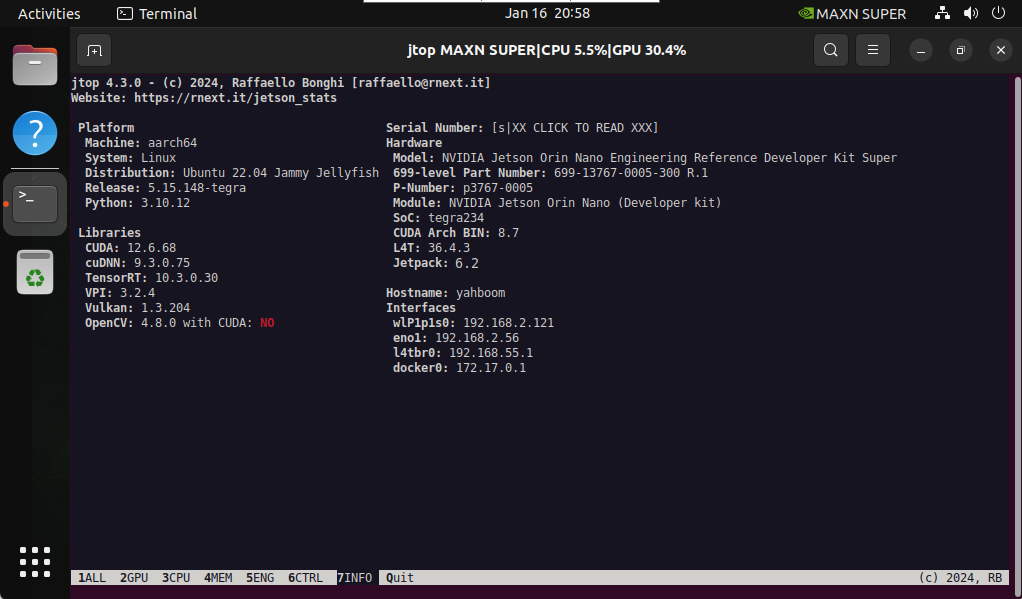
1. System Information
Check your system information before installation.
2. Install DeepStream
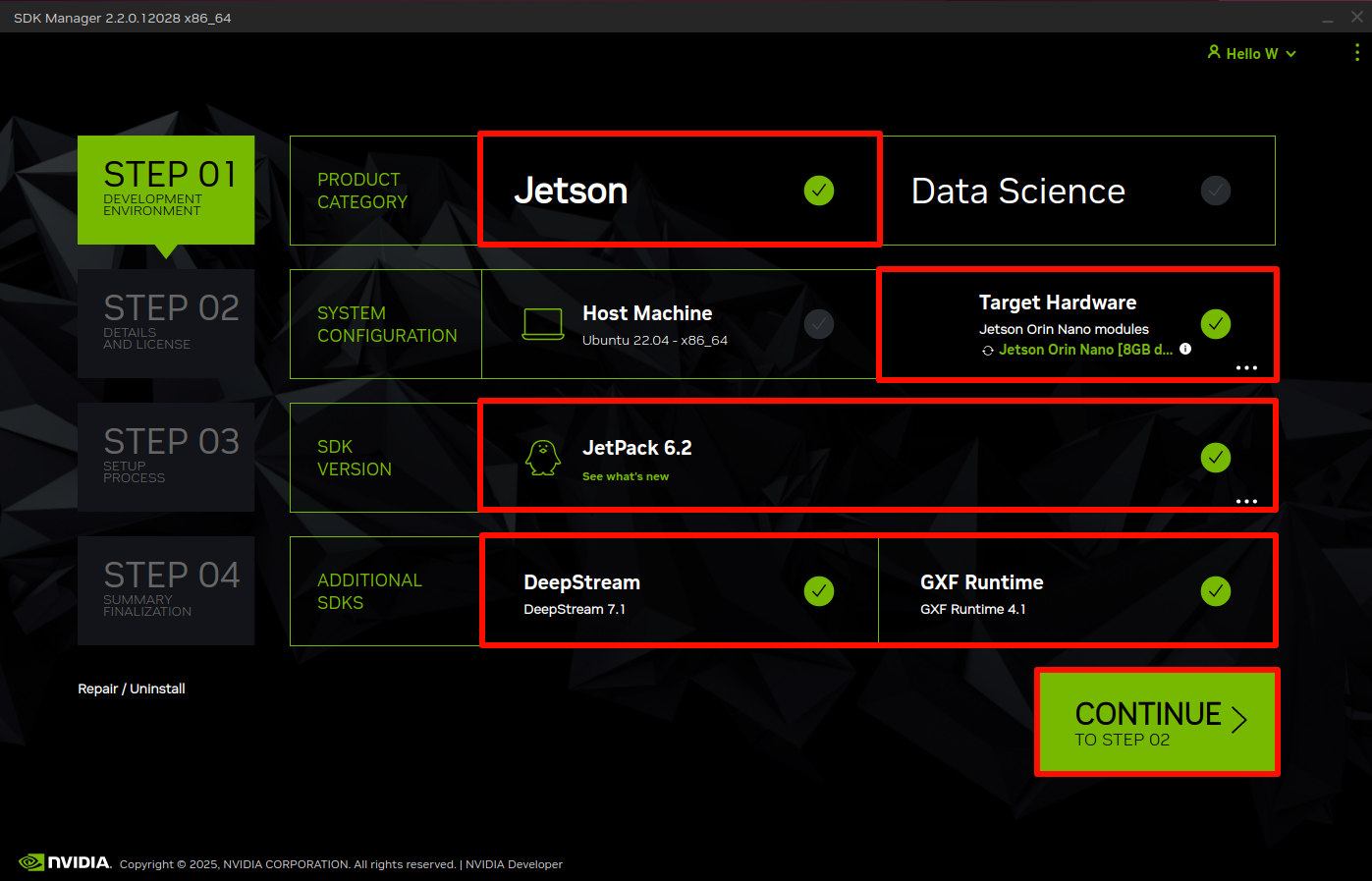
During Jetson component installation, ensure DeepStream 7.1 is selected.
If you are using an automated installer or SDK Manager, enable the DeepStream option explicitly.
3. Verify Installation
Install required GStreamer dependency:
sudo apt install -y libgstrtspserver-1.0-0
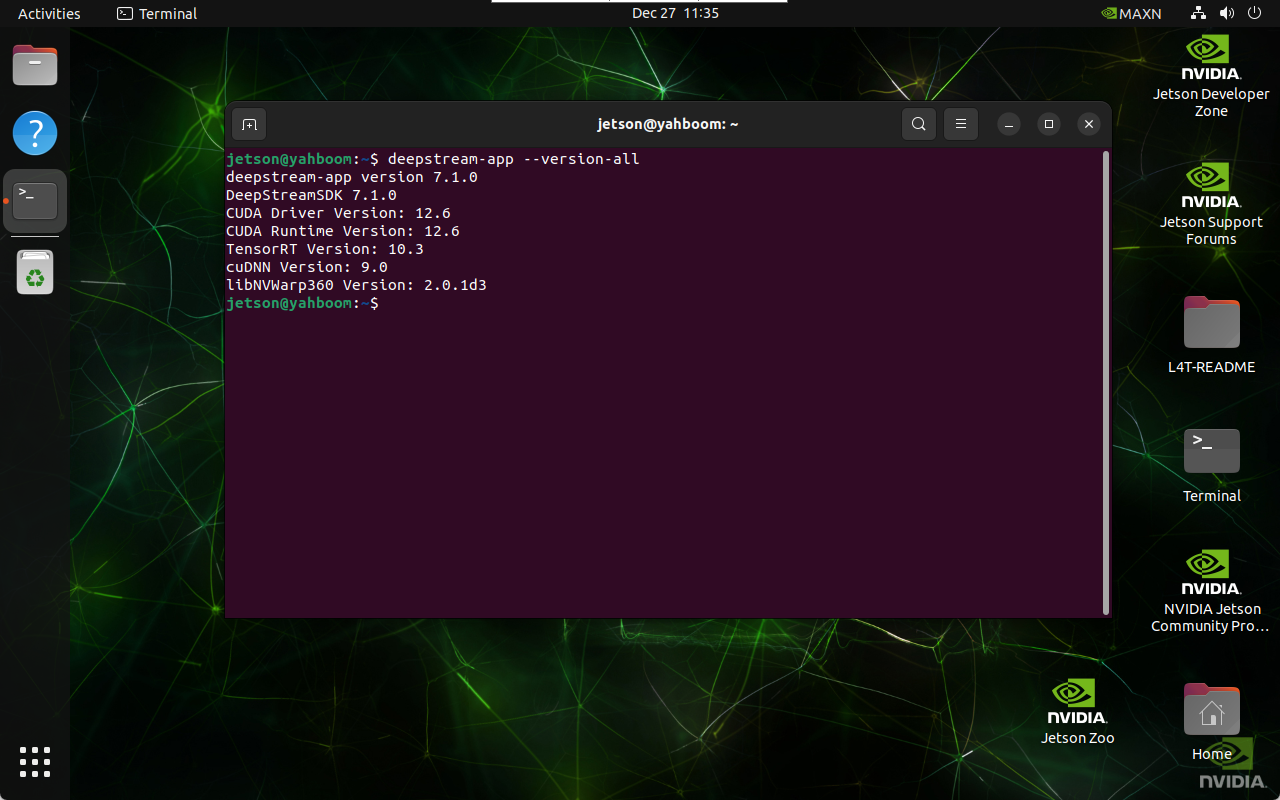
Verify DeepStream version:
deepstream-app --version-all
If installed correctly, version information will be displayed:
4. Run the Example Application
Navigate to the DeepStream sample configuration directory:
cd /opt/nvidia/deepstream/deepstream-7.1/samples/configs/deepstream-app
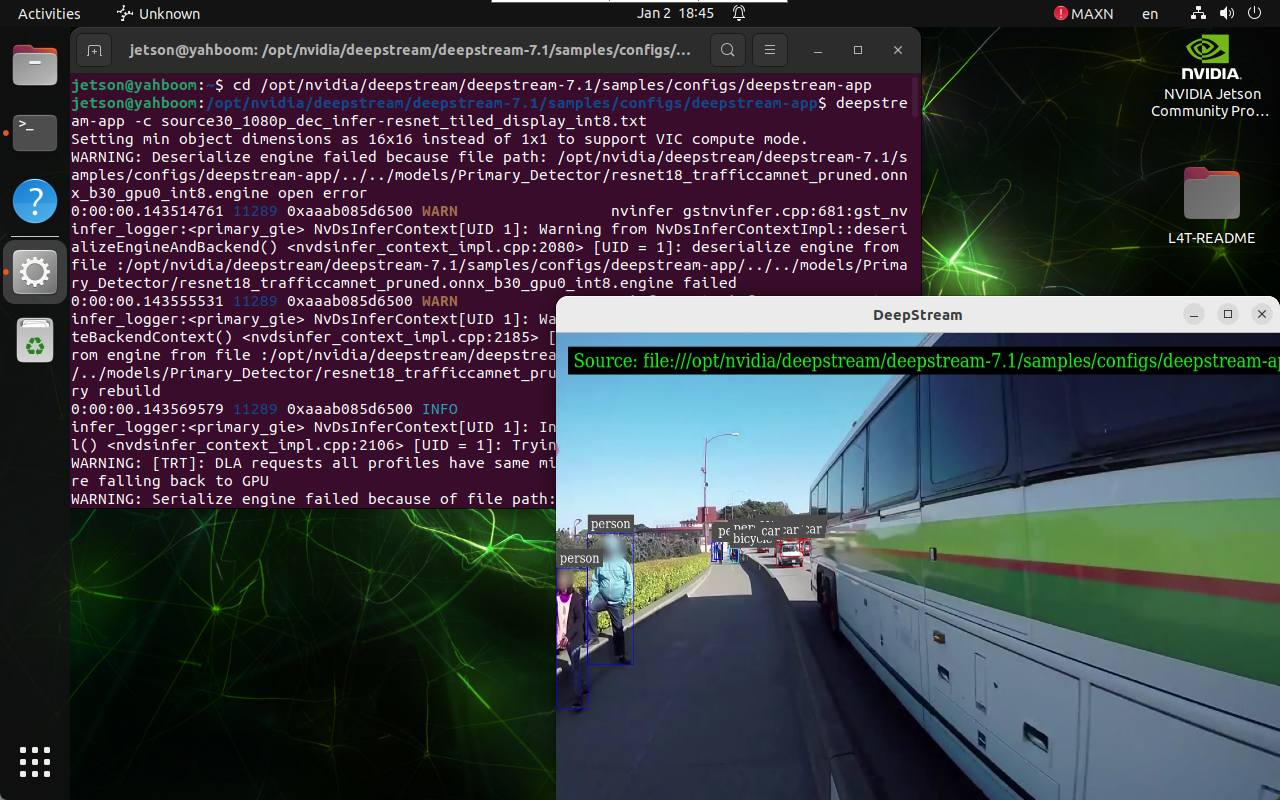
Run the sample pipeline:
deepstream-app -c source30_1080p_dec_infer-resnet_tiled_display_int8.txt
This demo may take a long time to start. If the program does not exit immediately, allow it to continue running.
When running high‑load applications, the system may display:
System throttled due to Over-current.
This is expected behavior under heavy load.
Use a power adapter rated at least 45W to avoid throttling issues.
Maintained by HemiHex for Jetson‑based advanced vision and video analytics workflows.